Networking & Cyber Safety
In Class 6, you were introduced to networking, where you were taught that networking is about linking computers together to exchange information. Class 7 is a step further, and we learn how networks are linked and what devices are used to make networks work.
What is a network?
A network is a collection of interconnected computers and devices which share information, files, and other resources such as printers and internet connections.
Networks are used in:
- Schools
- Offices
- Banks
- Homes
Types of Networks
Networks are categorised based on size:
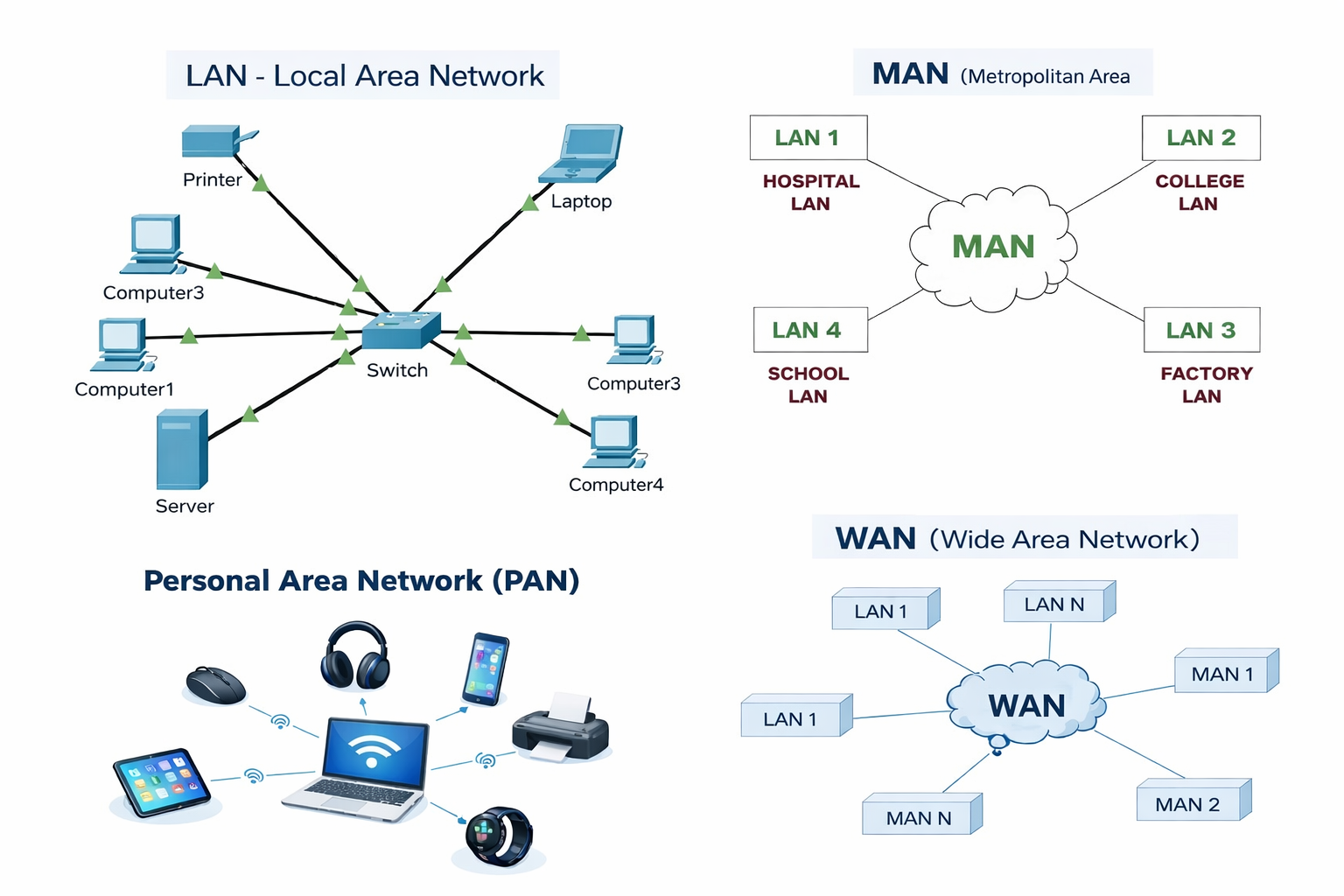
PAN (Personal Area Network)
Relates people to one another, such as a phone to a Bluetooth headphone.
LAN (Local Area Network)
Coverage is in a limited area, such as a classroom or an office building.
The MAN (Metropolitan Area Network)
Covers a city or town.
WAN (Wide Area Network)
- Caters to extensive regions such as nations.
- The biggest WAN is the Internet.
Network Devices
Special devices are required to connect the computers to the networks.
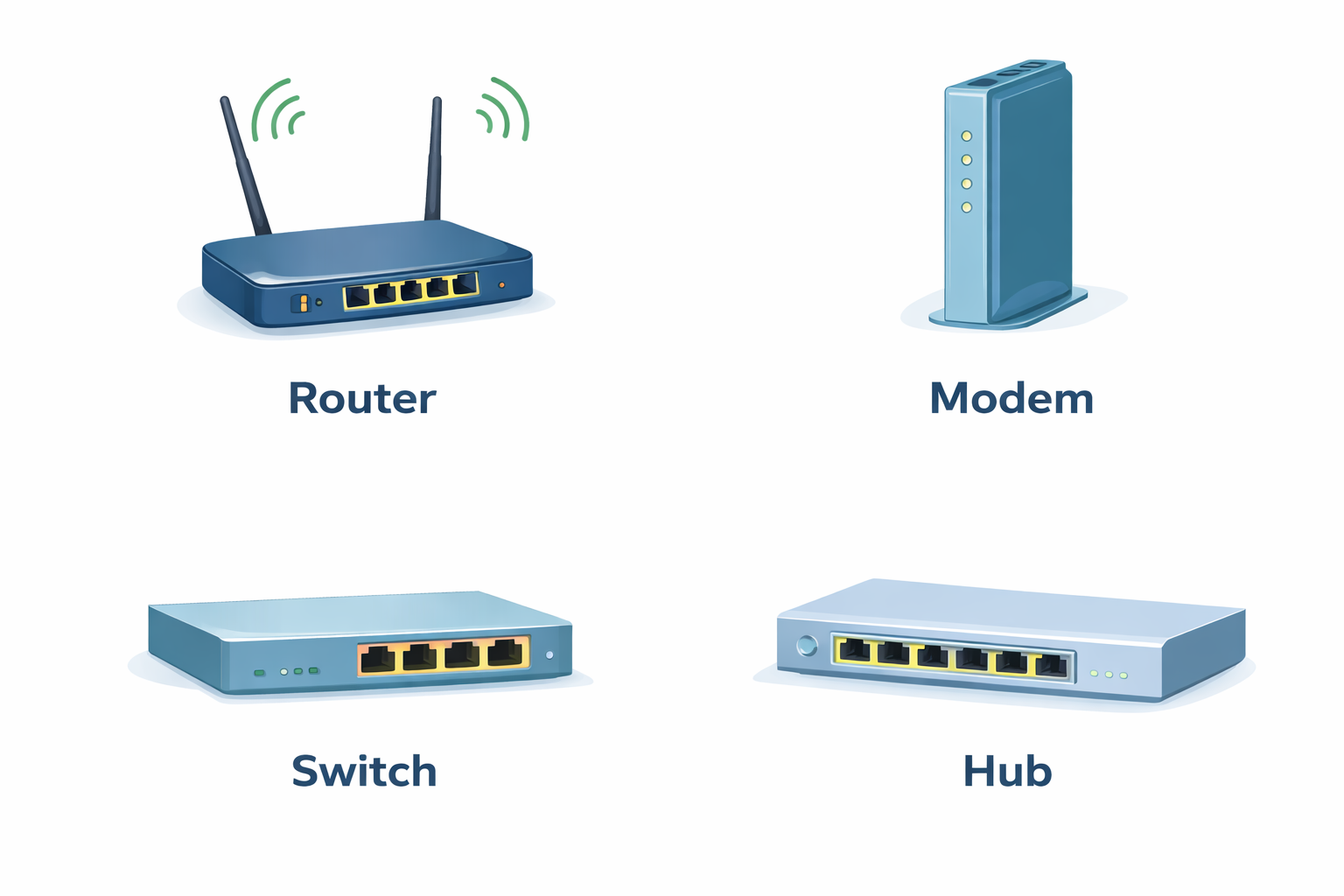
Router
Unites various networks and offers an internet connection.
Modem
Relates your home/school network to the internet service provider.
Switch
Couple several computers in a LAN.
Hub
- Like a switch, only more ineffective.
- It transmits data to all other devices.
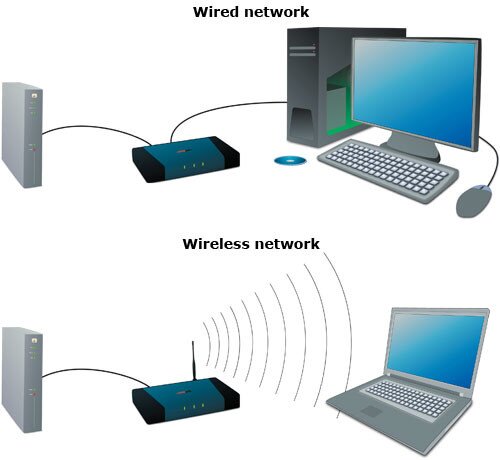
Wired and Wireless Networks
Wired Network
- Connects using cables.
- It is stable and fast.
Wireless Network
- Use Wi-Fi signals instead of cables.
- It enables wireless connection of devices.
Basic Idea Network Topologies
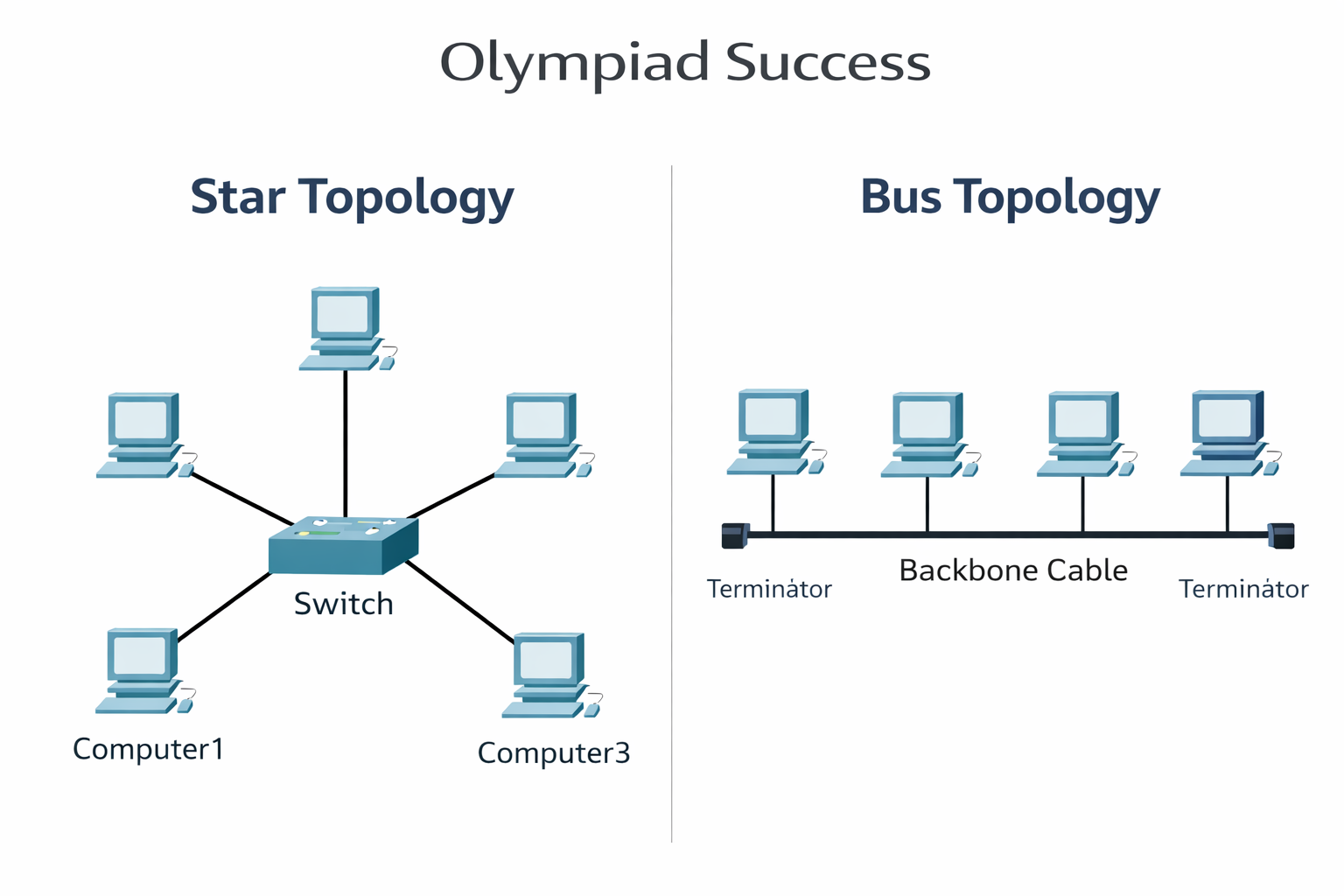
A topology refers to the portrayal of a network.
Star Topology
All the equipment is linked to a single central device.
Bus Topology
Every device is connected with only one main cable.
Advantages of Networking
- Easy sharing of files
- Fast communication
- Internet sharing and printer sharing.
- Saves time
Cyber Safety
- We have to follow the safety rules when we are using networks and the internet. This is called cyber safety.
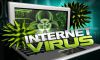
- Online threats like viruses and fraud, as well as hacking, are safeguarded by cyber safety.
Common Cyber Threats
There are certain typical dangers on the internet, some of which are:
- Computer viruses
- Malware
- Phishing emails
- Fake websites
- Cyberbullying
Rules for Safe Internet Use
To stay safe online:
- Use secure and confidential passwords.
- Do not betray personal information.
- Do not use links that you are not familiar with.
- Install antivirus software
- Do not chat with strangers on the Internet.
- Report to a parent or a teacher when something is not safe.
Being a responsible Internet user
Responsibility on the internet entails:
- Respecting others
- False information not transmitted.
- Not sharing harmful content
- Internet learning and positive utilisation.
QUIZ FOR NETWORKING AND CYBER SAFETY
1. A student can connect wireless headphones to a smartphone via Bluetooth. What kind of a network is being utilised?
A) PAN
B) LAN
C) MAN
D) WAN
Answer: A) PAN
2. A computer lab in a school has all the computers sharing files and printers in the same room. Which type of network is this?
A) PAN
B) LAN
C) MAN
D) WAN
Answer: B) LAN
3. A home network device links the local network with the internet service provider. What is the name of the device that does this?
A) Router
B) Modem
C) Switch
D) Hub
Answer: B) Modem
4. A device in computer lab network links multiple computers together in a computer lab network so that they may share the same LAN. What is the device that is normally used in this?
A) Switch
B) Router
C) Modem
D) Printer
Answer: A) Switch
5. Every computer in a network design will be linked to a single centre. What is the topology of this?
A) Bus Topology
B) Ring Topology
C) Star Topology
D) Mesh Topology
Answer: C) Star Topology
6. A network design involves the use of a single cable to which all the computers are linked. Which topology is this?
A) Bus Topology
B) Star Topology
C) Tree Topology
D) Hybrid Topology
Answer: A) Bus Topology
7. One of the students connects a laptop to the internet through Wi-Fi, and it does not use any cables. What kind of connection is this network?
A) Wired Network
B) Wireless Network
C) Bus Network
D) LAN Cable Network
Answer: B) Wireless Network
8. What online attack tries to trick the user to disclose his/her passwords or personal details via an email or a webpage?
A) Malware
B) Phishing
C) Cyberbullying
D) Spam
Answer: B) Phishing
9. A student gets a message asking him to provide personal information sent by a stranger. What is the safest action?
A) Reply politely
B) Share limited information
C) Dismiss and notify a teacher or parent.
D) Click the link to check
Answer: C) Dismiss and notify a teacher or parent.
10. What are the following behaviours that are not responsible when using the internet?
A) Respecting others online
B) Information exchange of useful information.
C) Spreading of false information.
D) Learning with the use of the internet.
Answer: C) Spreading of false information.