Cyber Safety
In the digital era, technology and the internet have been closely connected with education, communication, business and entertainment. Although digital tools have numerous advantages, they also present cyber threats to users. 'Cyber safety' is a term used to refer to the use of digital devices, networks and online platforms in a responsible and secure manner.
In the case of Class 10 students, cyber safety is not just crucial to personal safety, but it is also the duty of a responsible digital citizen.
What is Cyber Safety?
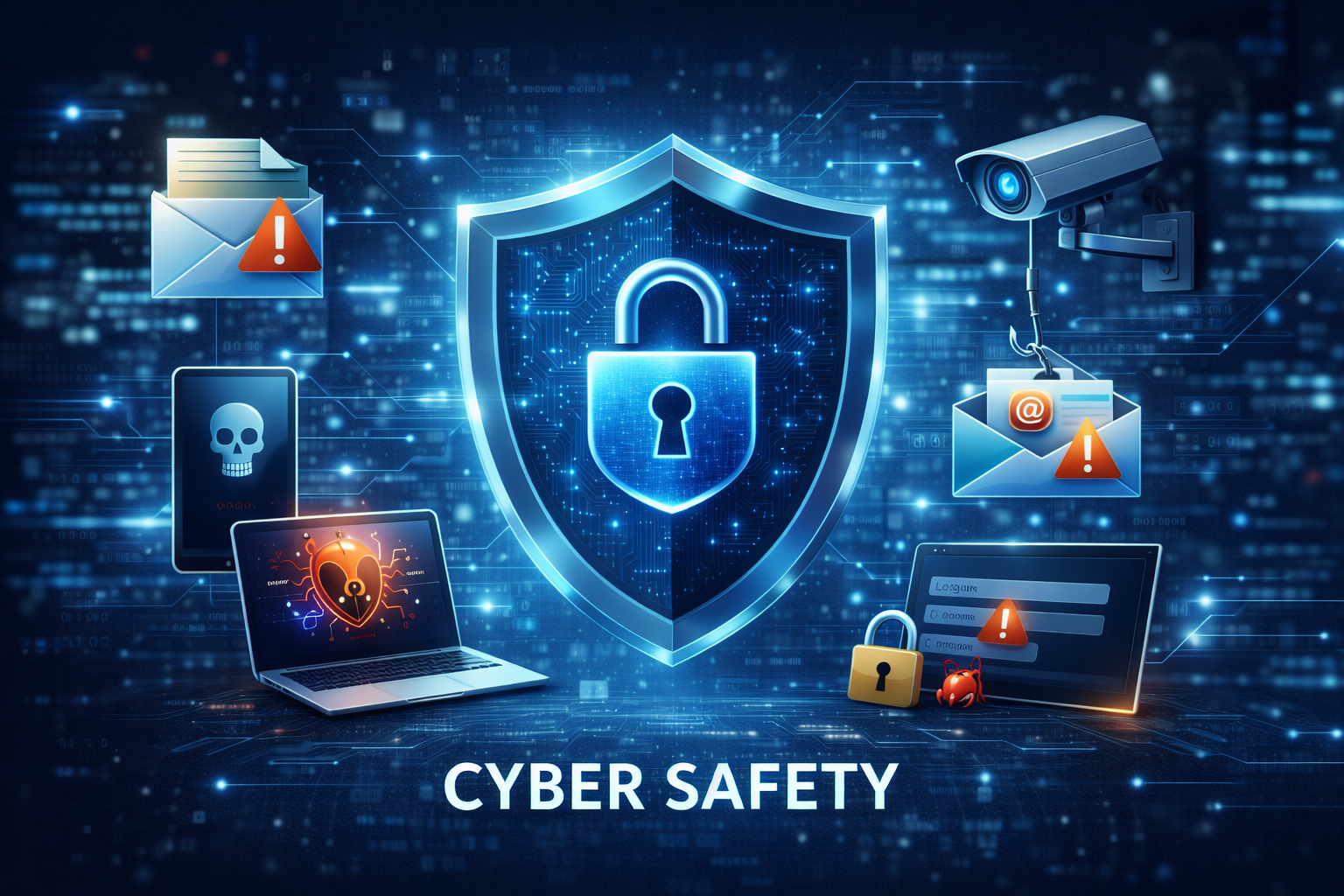
Cyber safety means secure usage of personal information, hardware and online identity on the internet. It means risk-free behaviour, understanding cyber threats and following cyber ethics.
It helps in:
- Secrecy of personal information
- Preventing online fraud
- Avoiding cybercrime
- Reputation in the digital world
Common Cyber Threats
Students should know about different risks on the internet.
Phishing
Fake e-mails or websites that aim at stealing personal information or passwords, bank details, etc.
Malware
Bad software, like viruses, worms and ransomware, causes damage to the system or steals information.
Hacking
Illegal access to systems or accounts.
Identity Theft
The misuse of personal information of a person.
Cyberbullying
Threatening behaviour or harassment via the internet.
Knowing about these threats allows you to prevent serious consequences.
Good Password and Account Security
The first step of cyber safety is account protection.
Good practices include:
- Use of complicated passwords (letters, numbers, symbols).
- Not using personal data as passwords.
- allowing two-factor authentication (2FA).
- Don’t share login credentials.
- Changing passwords frequently.
Strong authentication minimises the chances of cyber attacks.
Safe Browsing Practices
To stay secure online:
- Do not click on suspicious links.
- Security of websites (https).
- Only download files from reliable websites.
- Use secure Wi-Fi networks
- Always update antivirus software.
Software updates regularly overcome security weaknesses.
Understanding Your Digital Footprint
Online presence can be defined as all that you leave in your wake by using the internet.
This includes:
- Posts on social media
- Websites you visit
- Emails and messages you send
Why Is It Important?
Your future can be influenced by your online presence. Other people and other posts against the rules or information that we share as private can get noticed on the web, and as a result, they may affect your academic life or career life and job opportunities as well.
Digital Reputation Tips:
- Consider what you are putting on the Internet or sending out.
- Frequently test and re-examine your privacy policies on your social media.
- You should consider what you are posting and sharing on the Internet because it may be permanent.
IT Laws and Digital Ethics
The second aspect of cybersecurity is the knowledge of the legal framework that safeguards the participants of the internet and the information.
Cyber Laws:
There are cyberlaws that govern the way people and companies ought to conduct themselves in the digital environment. They intend to safeguard users against crimes on the internet such as cyberbullying, identity theft and theft of intellectual property.
Digital Ethics:
Digital ethics means the utilisation of the internet in a responsible way.
This includes:
- Adhering to copyright legislation and intellectual property.
- Not misinforming or publishing fake news.
- Avoid piracy (downloading or distributing illegal material).
Why Is It Important?
Through these laws and ethical standards, we will be able to make the internet a safer environment to all and prevent any legal problems concerning the activities that we do online.
Data Privacy and Protection
Personal data, including the following:
- Address
- Phone number
- Bank details
- Password
These should not be disclosed in public.
The privacy settings of social media must be regularly checked and changed.
How to Respond in the Event of a Cyber Incident
If a cyber issue occurs:
- Report to parents, teachers or authorities.
- Block suspicious accounts
- Report harmful content
- Change passwords as soon as possible.
Damage can be minimised by quick response.
QUIZ FOR CYBER SAFETY
1. The primary meaning of cyber safety is:
A) Using computers faster
B) How to keep your devices, data and identity safe on the internet.
C) Computer software design.
D) Installing applications
Answer: B) How to keep your devices, data and identity safe on the internet.
2. An email is sent to a user requesting him/her to open a link and fill his/her bank account information on a counterfeit site. This is an example of:
A) Phishing
B) Malware
C) Cyberbullying
D) Identity theft
Answer: A) Phishing
3. Code intended to cripple systems or steal information, including viruses and ransomware are referred to as:
A) Firewall
B) Malware
C) Encryption
D) Authentication
Answer: B) Malware
4. What is the best practice of securing the account?
A) As a password, use your birth date.
B) Giving passwords to friends.
C) Strong passwords containing symbols and numbers.
D) The same password on all the accounts.
Answer: C) Strong passwords containing symbols and numbers.
5. Two-Factor Authentication (2FA) enhances the security as it:
A) Stores passwords online
B) Two methods of verification are required.
C) Automatically removes malware.
D) Encrypts internet traffic
Answer: B) Two methods of verification are required.
6. A student is known to constantly write personal photos, comments and location updates on a social site. These are the activities that help the student to:
A) Cyber firewall
B) Digital footprint
C) Antivirus protection
D) Network security
Answer: B) Digital footprint
7. What is a good digital ethic action out of the following?
A) The downloading of pirated movies.
B) Copyright infringement, disregarding copyright.
C) Providing due credit to original authors.
D) Sharing information that has not been verified on the internet.
Answer: C) Providing due credit to original authors.
8. An online hacker obtains the online account of a person and uses his or her personal information to buy products. This is known as:
A) Identity theft
B) Cyberbullying
C) Phishing
D) Digital footprint
Answer: A) Identity theft
9. What is an indicator of a safe connection in the case of web browsing?
A) The web URL starts with the letter 'h'.
B) The address of the site starts with the prefix "https"
C) The website utilises pop-up ads.
D) Website loads quickly
Answer: B) The address of the site starts with the prefix "https"
10. What is the best course of action in case a student falls victim to cyberbullying on the internet?
A) forget about the problem.
B) Be confrontational on the Internet.
C) Notify parents, teachers or authorities of the incident.
D) publicise the incident.
Answer: C) Notify parents, teachers or authorities of the incident.